I just shipped Pomodoro mode for MyTimerTab, along with a few logic upgrades for the regular timer.
Let’s be clear: this isn't a "10x your life" manifesto. It’s just a browser timer becoming more useful, which—if I’m being honest—is my favorite kind of software. No AI judging your focus levels, no "smart" productivity scores. Just a tool that does what you tell it to do.
The Headline: A Practical Pomodoro Flow
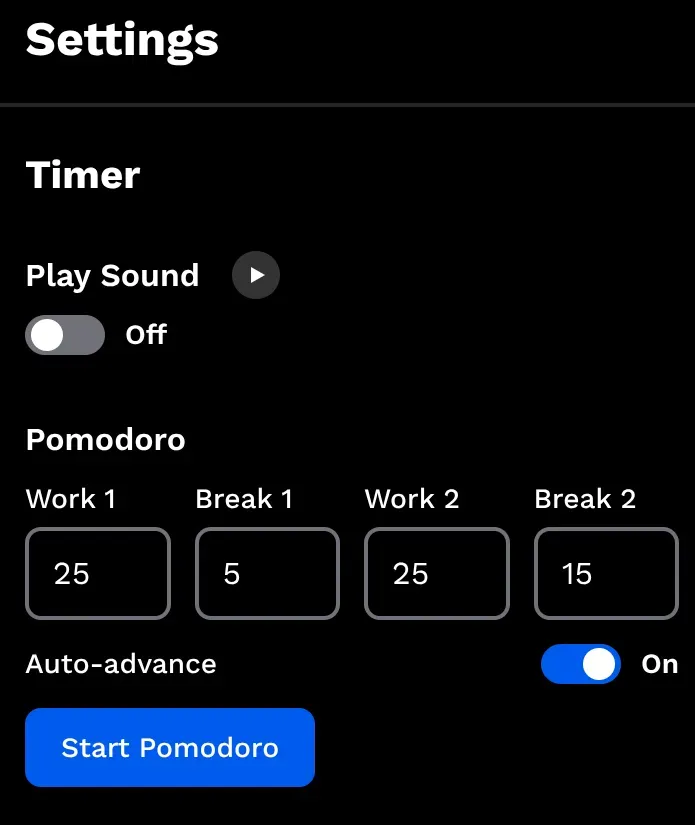
I built a four-step cycle directly into the settings. The default is the classic:
- Work: 25 min
- Short Break: 5 min
- Work: 25 min
- Long Break: 15 min
You can tweak these values to fit your own rhythm. Everything is saved in your local browser storage. No accounts, no "verify your email to start a timer," no sync ceremony. It just stays there.
I also added an Auto-advance switch (on by default). When one step ends, the next one starts automatically. If you’re the type who needs a manual "mental reset" between sessions, just toggle it off.
What Happens During a Session
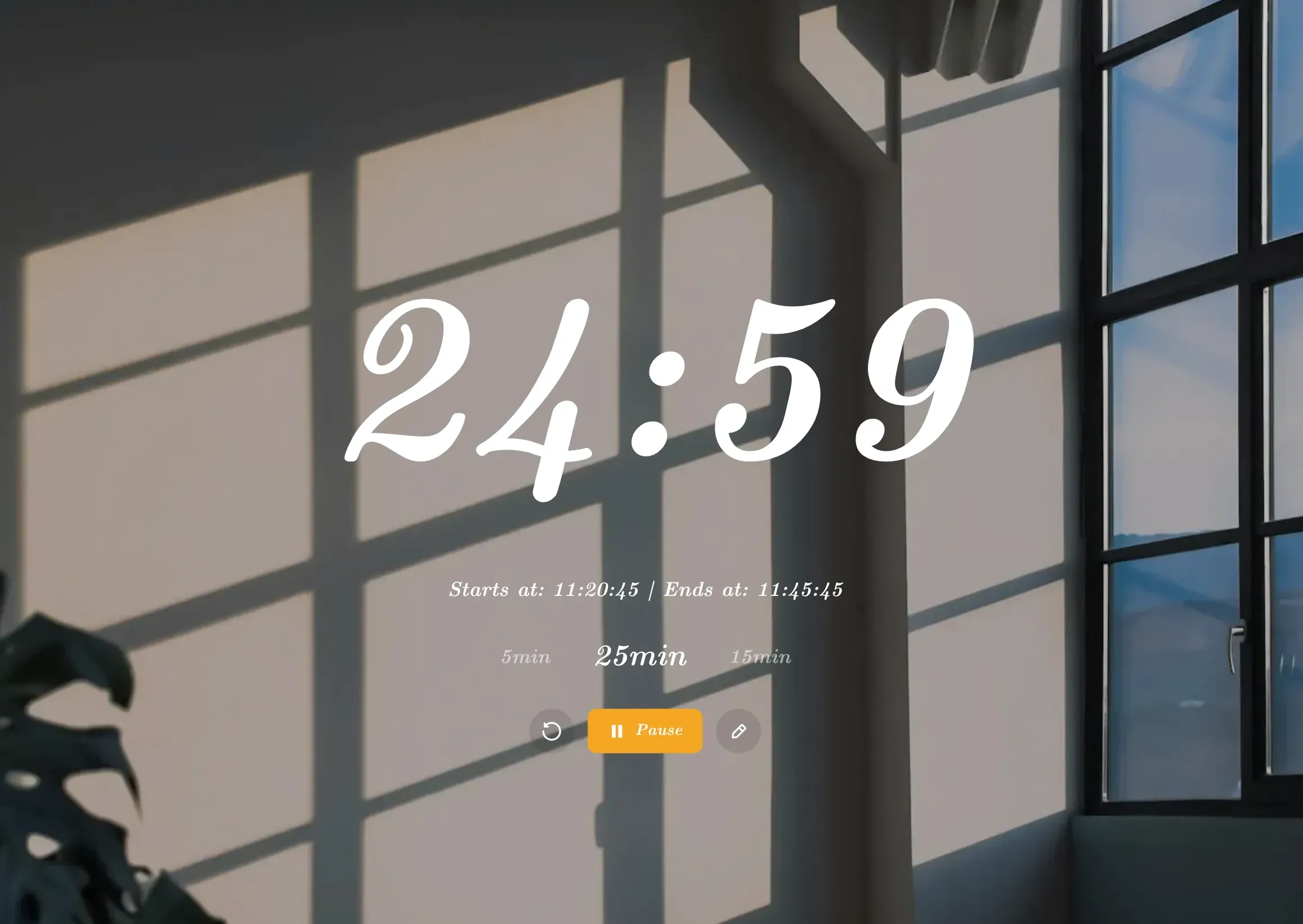
While a session is running, you’ll see the previous, current, and next step sitting below the countdown. These aren't just labels; they’re interactive:
- Missed a start? Click the previous step to jump back.
- Feeling a flow state? Click the next step to skip the break.
- Distracted by a cat? Click the current step to restart it.
Most productivity apps act like a strict cop. MyTimerTab acts more like a helpful peer. If your "5-minute break" accidentally becomes a "why am I reorganizing my desk drawers?" session, you can just jump back in without resetting the whole world.
Closing the Tab No Longer Feels Risky
One of the more important changes is what happens when you leave.
If you close the tab, refresh, or navigate away, the Pomodoro session is now paused and restored instead of quietly disappearing into the void.
When you come back, you can resume from where you left off.
This is the honest part: I am not pretending the timer keeps running perfectly after the page is gone. Browsers are very good at reminding us that background behavior has rules, and JavaScript is not a wizard. So the safer behavior is:
- pause the session
- save the current state
- let you resume cleanly later
Boring? Maybe. Reliable? Much better.
The "Honest Dev" Caveat ⚠️
Modern browsers have become very "helpful" lately with Power Saving and Performance Mode.
If your browser decides MyTimerTab is "inactive" while it’s in a background tab, it might throttle the timer. If you notice the clock lagging, you might need to add the site to your browser’s "Performance Exception" list. It’s a battle between the browser’s battery life and your schedule. Usually, the browser wins.
The Regular Timer Also Got Better
Pomodoro is the headline, but the regular timer is still here and still useful.
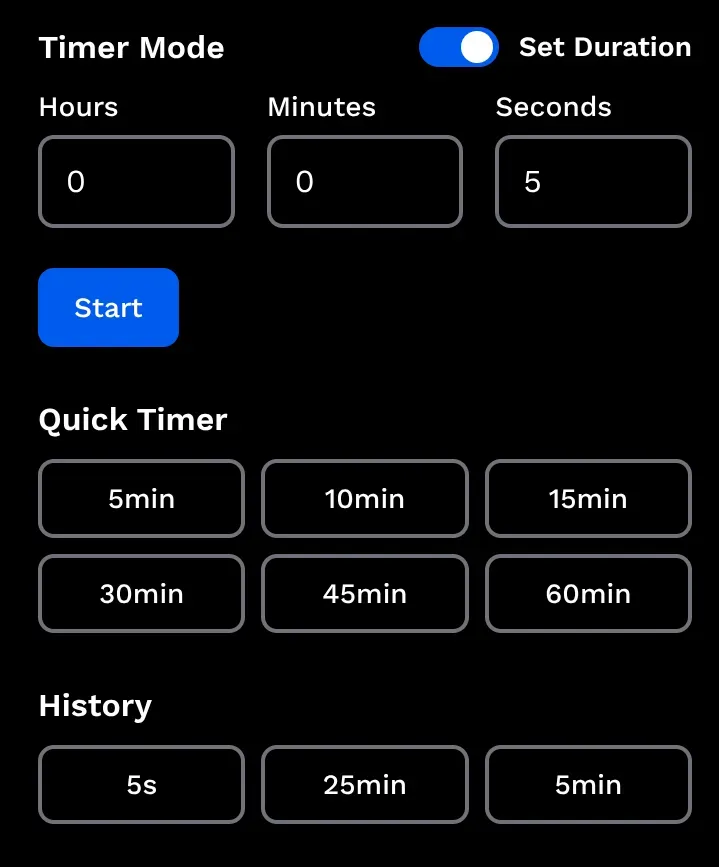
You can use it in two ways:
- Duration mode if you want something like 15 minutes or 2 hours
- End time mode if you want "ring at 5:30 PM"
I also kept and cleaned up two convenience features:
- Quick Timer buttons for common countdown lengths
- Timer History for your 6 most recent durations
That makes MyTimerTab work for both kinds of people:
- the "I do Pomodoro every day" people
- the "I just need a 10-minute reminder so I don’t burn the noodles" people
Both are valid. Extremely valid, actually.
Why I Like This Update
I like tools that are easy to explain.
This update does not try to become a task manager, habit tracker, team dashboard, or motivational quote engine. It just makes the timer more flexible:
- structured when you want Pomodoro
- simple when you want a normal countdown
- resilient when life interrupts the tab
That feels like the right scope for this project.
One Small Question
If you use Pomodoro timers regularly, I’m curious:
Do you prefer strict work/break cycles, or do you treat Pomodoro more like a loose framework and adjust on the fly?
I suspect most people are somewhere in the middle. Engineers especially tend to start with a neat plan and then immediately meet production reality.
Love the minimalist vibe? Support the independent development of MyTimerTab(MyClockTab) with a small tip:
☕️ Caffeinate the Team